Plugins

 
Some more and some less explained Plugins of my setup.
 

whisper

whisper.nvim

Local whisper.cpp voice transcription.

Verify

:checkhealth whisper_nvim

Dependencies

  • arecord (alsa-utils) — audio capture
  • ffmpeg / ffprobe — audio processing
  • whisper-cli binary + GGML model file (user-configured)

Install (lazy)

return {
    "jbuck95/whisper.nvim",
    config = function()
        require("whisper_nvim").setup({
            whisper_path = "/path/to/whisper-cli",
            model_path = "/path/to/ggml-large-v3-turbo.bin",
            output_dir = vim.fn.stdpath("data") .. "/whisper_transcriptions",
            output_file = "transcriptions.md",
        })
    end,
}
[]

web-clipper

web-clipper.nvim

Create .md file of Websites for saving content. (Obsidian-clipper alternative)

Verify

:checkhealth web-clipper

Dependencies

  • node — JavaScript runtime
  • defuddle-clip.mjs — bundled with plugin, place in ~/bin/
  • Clipboard tool (one of): wl-paste, xclip, xsel, pbpaste

Install (lazy)

return {
    "jbuck95/web-clipper.nvim",
    config = function()
        require("web-clipper").setup({
            vault_dir = "~/Documents/clippings/",
            clip_bin  = "~/bin/defuddle-clip.mjs",
            sites = {           
            -- Here you can set links that don't change, e.g.: 
                { name = "NASA APOD", url = "https://apod.nasa.gov/apod/", icon = "🌠" },
            },
        })
    end,
}
[]

hmw

How Many Words?

Keep track on your writing goals — with lualine support and multi file tracking.

Install (lazy)

return {
    "jbuck95/hmw.nvim",
    lazy = false,
    config = function()
        local hmw = require("hmw")
        hmw.setup()

        vim.keymap.set("n", "<leader>hd", hmw.show_dashboard, { desc = "Writing Dashboard" })
    end,
}
[]

md2pdf

md2pdf.nvim

Convert Markdown to PDF via LaTeX templates.

Verify

:checkhealth md2pdf

Dependencies

  • pandoc — Markdown-to-PDF converter
  • lualatex (texlive) — LaTeX compiler
  • Optional: sioyek — PDF viewer
  • LaTeX templates: ~/.config/nvim/templates/latex/
  • Images: ~/.config/nvim/pictures/ (uni.png, sig.png)

Install (lazy)

return {
    "jbuck95/md2pdf.nvim",
    config = function()
        vim.keymap.set("n", "<leader>pp", function()
            require("md2pdf").render()
        end, { noremap = true, silent = true, desc = "Render Markdown to PDF" })
    end,
}
[]

refman

refman.nvim

Fetch Citations from DOI/ISBN and manage references.

Verify

:checkhealth refman

Dependencies

System

  • curl — for DOI fetching
  • fzf — for citation selection UI
  • bash

Neovim

fetch-metadata (ISBN)

pipx install <plugin-dir>/scripts/fetch-metadata

Install (lazy)

return {
    "jbuck95/refman.nvim",
    dependencies = {
        {
            "junegunn/fzf.vim",
            dependencies = { "junegunn/fzf" },
        },
    },
    cmd = { "DOI", "ISBN", "RefImport", "RefOpen", "RefExport", "RefMulti" },
    keys = {
        { "<leader>rs", desc = "Save line as citation" },
        { "<leader>ro", desc = "Open Bibliography Database" },
        { "<leader>ri", desc = "Insert Citation" },
        { "<leader>rm", desc = "Insert Multiple Citations" },
    },
    config = function()
        local refman = require("refman")
        refman.setup()

        vim.keymap.set("n", "<leader>rs", refman.import_current_line, { desc = "Save line as citation" })
        vim.keymap.set("n", "<leader>ro", refman.open_database, { desc = "Open Bibliography Database" })
        vim.keymap.set("n", "<leader>ri", refman.export_citation, { desc = "Insert Citation" })
        vim.keymap.set("n", "<leader>rm", refman.export_citations_multi, { desc = "Insert Multiple Citations" })
    end,
}

Disclaimer

Some fetch-functions are from:

[]

glossator-nvim

glossator-nvim

 
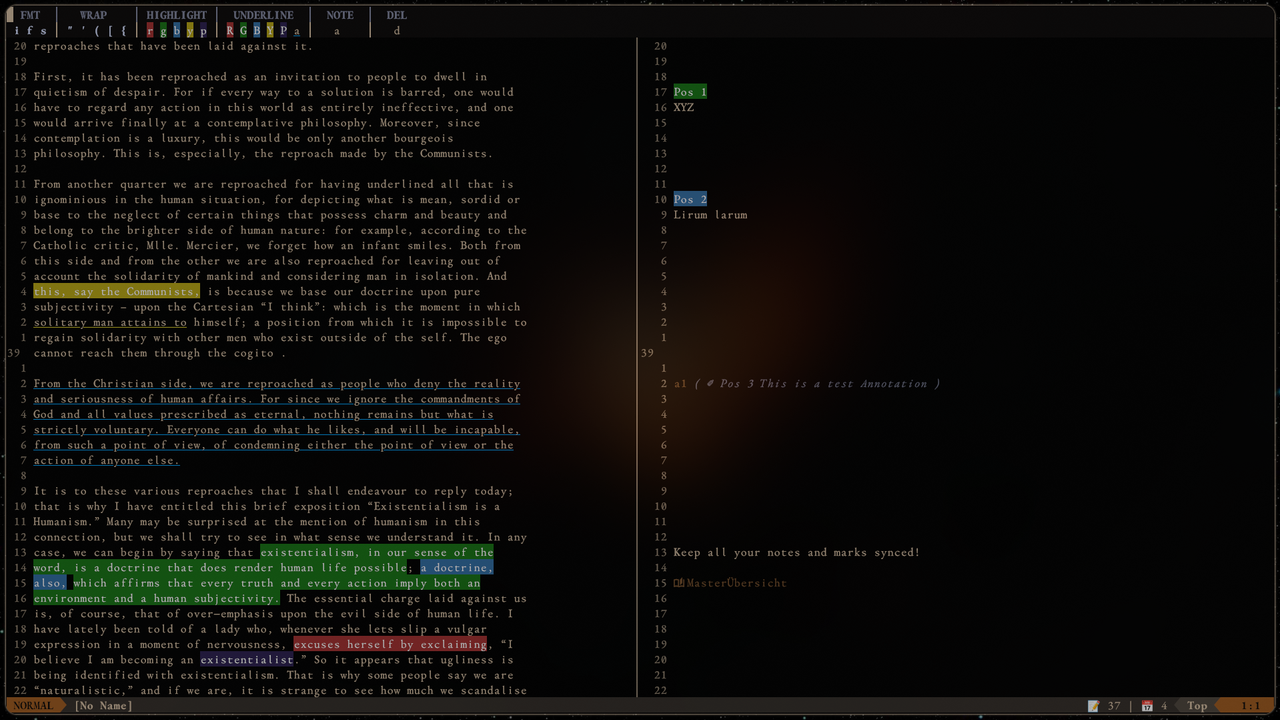
A Neovim plugin for writers and editors — inline annotation tags, a synchronised commenting pane, and a contextual toolbar for formatting without keymaps.
 
image.png


Install with Lazy:

{
  "jbuck95/glossator-nvim",
  ft = "markdown",
  keys = {
    { "<leader>e",  "<Plug>(GlossatorToolbar)", mode = "v", ft = "markdown" },
    { "<leader>gs", "<Plug>(GlossatorPane)",    mode = "n", ft = "markdown" },
  },
  config = true,
}


Github: glossator-nvim

[]

lqtf.nvim

lqtf.nvim

 
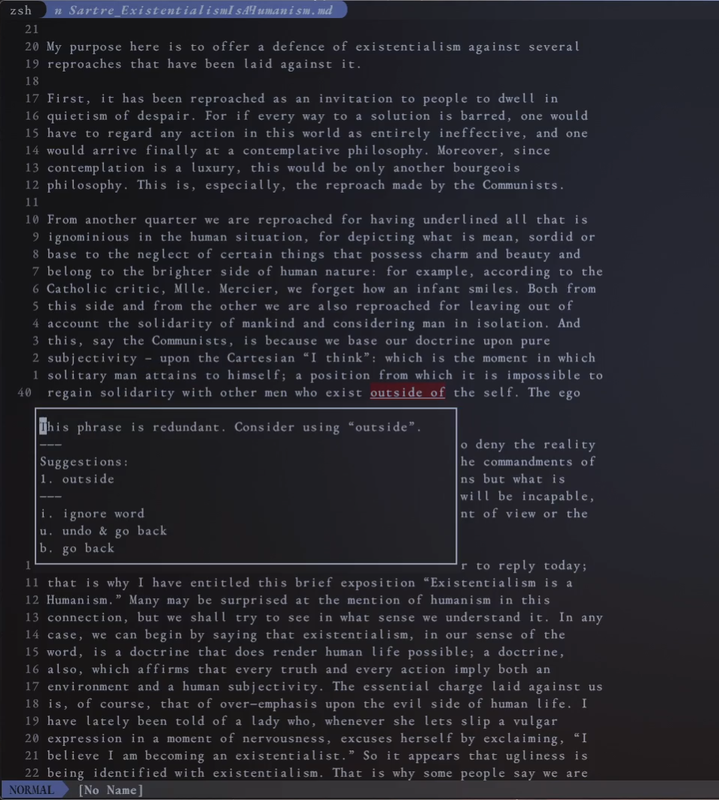
A lightweight Neovim plugin for local spelling and grammar checking
via LanguageTool — with buffer highlights, interactive quickfix, and
persistent ignore lists.

You need to install the dependencies (meaning LanguageTool) listed on github.


image.png


Install with Lazy:

{
  "jbuck95/lqtf.nvim",
  ft = { "markdown", "text" },
  cmd = { "LanguageToolStartServer", "LanguageToolClear", "LanguageToolStopServer", "LanguageToolCheckVisual" },
  config = function()
    require("languagetools").setup({
      language = "en-GB",
      server_jar = vim.fn.expand("~/LanguageTool-6.6/languagetool-server.jar"),
    })
  end,
}


Github: lqtf.nvim

[]

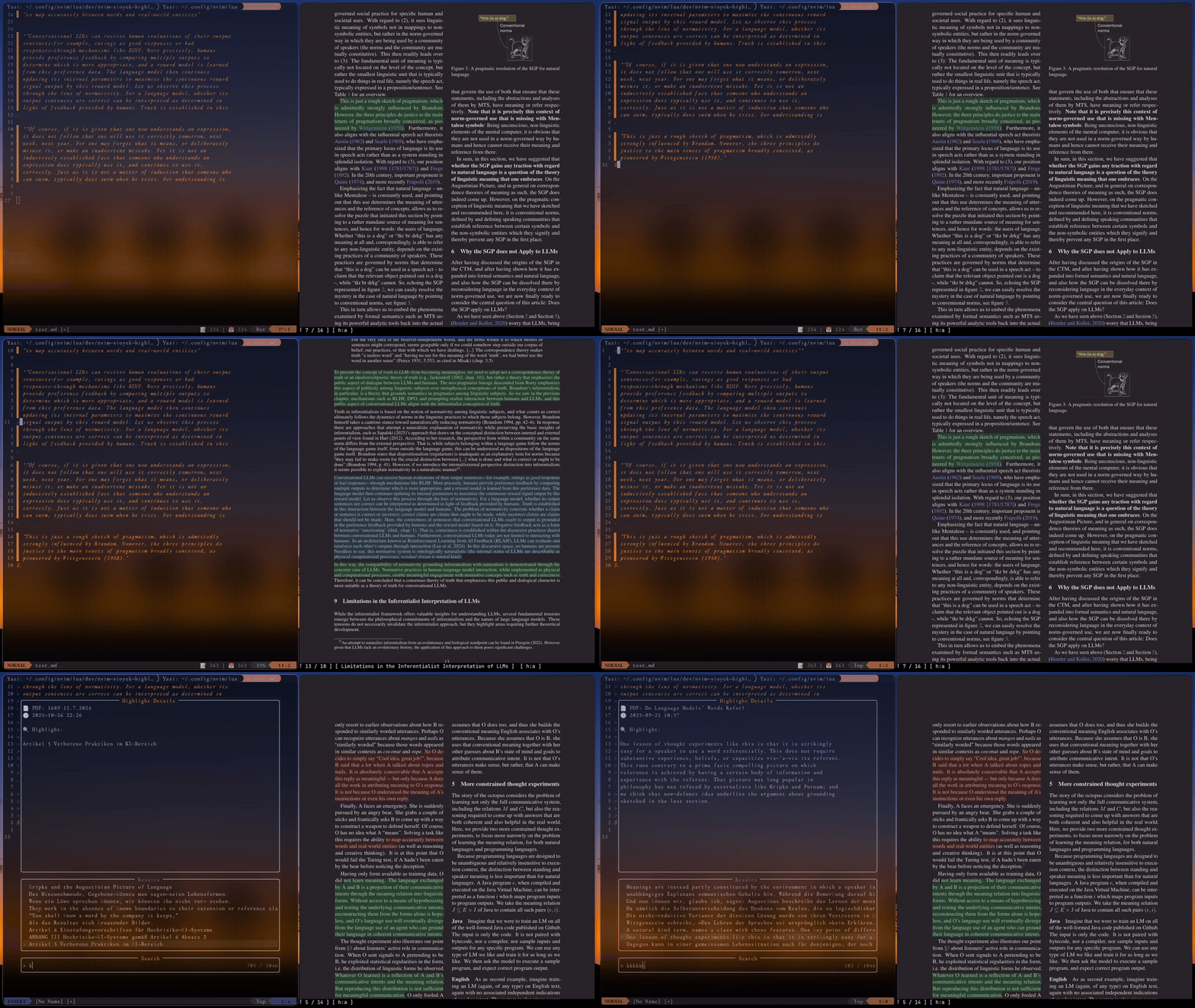
sioyek-highlights

sioyek-highlights

 
A Neovim plugin to integrate Sioyek PDF reader highlights directly into your editor.
 
sioyek-highlights
 

Install with Lazy:

{
  "jbuck95/nvim-sioyek-highlights",
  dependencies = { "nvim-telescope/telescope.nvim" },
  config = true,
}


Github: sioyek-highlights

[]

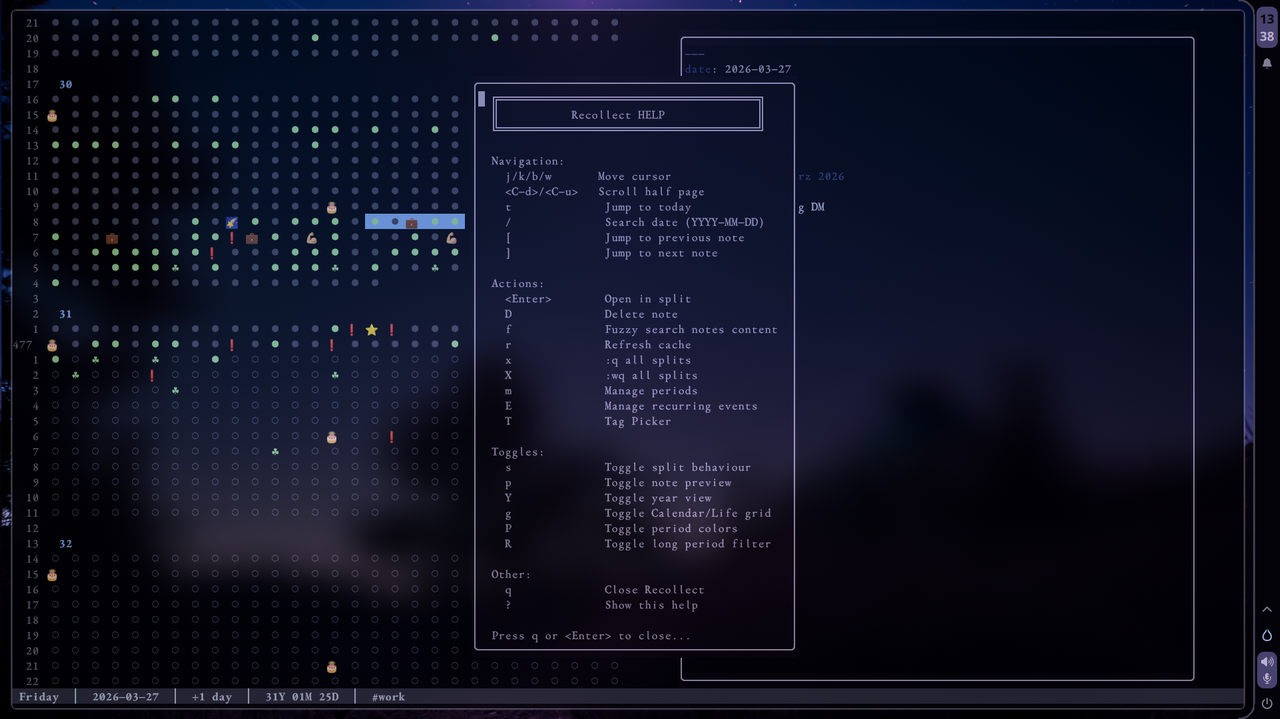
recollect

Recollect.lua

recollect.png

 
TUI for your notes/daily-notes.
I use it as a personal “wayback” machine.
It integrates into Obsidian.md /obsidian.nvim syntax.
 

Features:


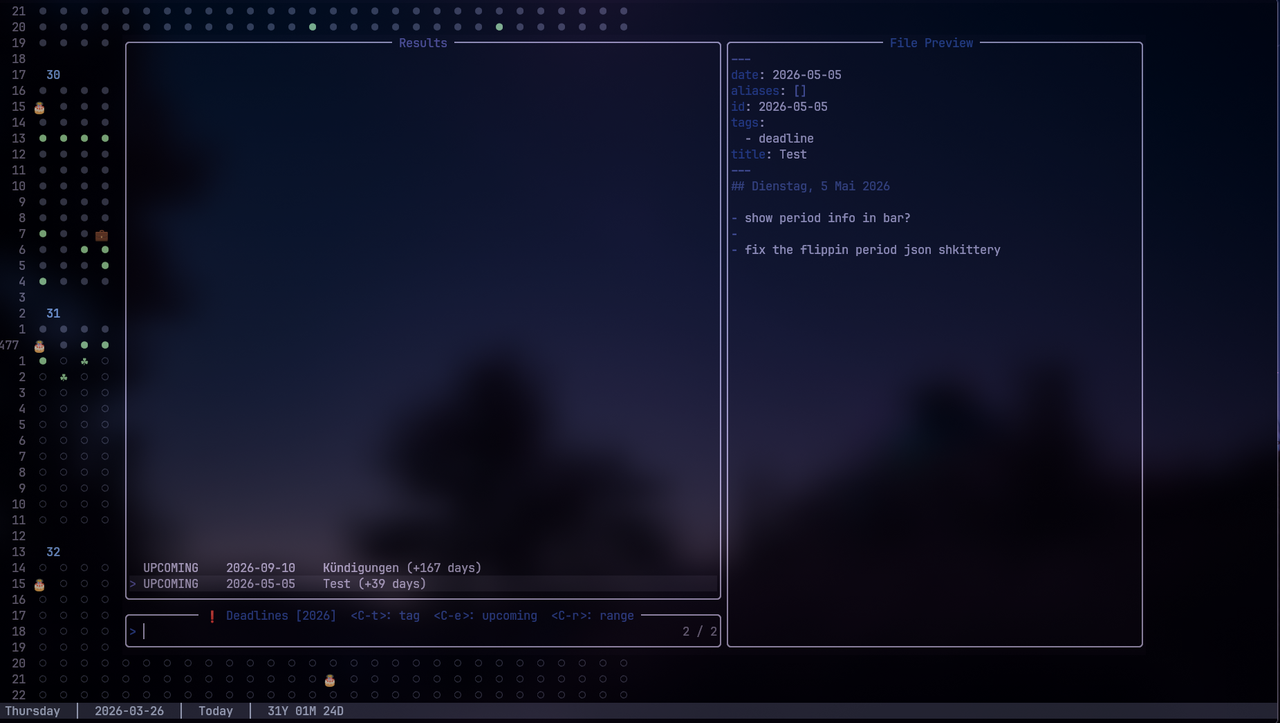
Tag-Tracker

Track your Tags (deadlines/birthdays etc.) You have several options to
filter for expired/upcoming/all tags and or specify what tags you want
to see. This will also show a preview of the note to the right.

Tag-Trackerr.png


Install:


Check Github, or

Configure with Lazy:
return {
	"jbuck95/recollect.nvim",
	name = "recollect.nvim",
	dependencies = { "nvim-lua/plenary.nvim" },
	config = function()
		require("recollect").setup({
			-- The path where .json files (recurring events etc.) get stored
			data_dir = vim.fn.expand("~") .. "/Documents/recollect-data",
			-- Set where you want to have the info bar
			bar_position = "bottom", -- or "top"
			bar_offset = -1, -- move bar lines up/down
			-- The start date for your grid.
			birthday = "1993-03-03",
			tracked_tags = {
				deadline = { label = "Deadlines", icon = "❗", order = 1 },
				birthday = { label = "Birthdays", icon = "🎂", order = 2 },
			},
			-- The path to your daily notes folder. (sync this with obsidian.nvim)
			daily_notes_path = vim.fn.expand("~") .. "/Documents/dailies",
			-- A function to generate the content for a new daily note.
			note_template = function(date_str)
				local year, month, day = date_str:match("(%d+)-(%d+)-(%d+)")
				local date_obj = os.time({year=tonumber(year), month=tonumber(month), day=tonumber(day)})

				local weekdays = {"Sonntag", "Montag", "Dienstag", "Mittwoch", "Donnerstag", "Freitag", "Samstag"}
				local months = {"Januar", "Februar", "März", "April", "Mai", "Juni", "Juli", "August", "September", "Oktober", "November", "Dezember"}

				local wday = tonumber(os.date("%w", date_obj)) + 1
				local formatted_date = string.format("%s, %d %s %s", weekdays[wday], tonumber(day), months[tonumber(month)], year)

				return string.format([[---
date: %s
---
## %s


]], date_str, formatted_date)
			end,

			-- You can define custom time periods that get highlighted in the grid.
 --			periods = {
 --				{
 --					start = "2020-03-11",
 --					finish = "2022-05-01",
 --					color = "red",
 --					label = "Pandemic"
 --				},
 --			},

			-- Symbols used for notes that have a specific tag in their YAML frontmatter.
			tag_symbols = {
				birthday = "🎂",
				event = "🎉",
				gym = "💪🏼",
				trip = "✈️",
				holiday = "☘",
				party = "🍻",
				work = "💼",
				project = "🛠️",
				deadline = "❗",
				health = "❤️",
				special = "⭐",
			},

			-- Customize the colors of the grid.
			colors = {
				background = "#1e1e2e",
				default_dot = "#45475a",
				today_dot = "#f38ba8",
				note_exists = "#a6e3a1",
				grid_lines = "#313244",
				text = "#cdd6f4",
				year_header = "#89b4fa",
				yellow = "#f9e2af",
				blue = "#89b4fa",
				green = "#a6e3a1",
				red = "#f38ba8",
				purple = "#cba6f7",
				orange = "#fab387",
			},
		})
		-- Entry point
		vim.keymap.set("n", "<leader>rc", "<cmd>Recollect<cr>", { desc = "Open Recollect" })
		vim.api.nvim_create_autocmd("FileType", {
			pattern = "recollect",
			callback = function()
				local map = function(lhs, plug, desc)
					vim.keymap.set("n", lhs, plug, { buffer = true, remap = true, silent = true, desc = desc })
				end

				-- Navigation
				map("t",     "<Plug>(recollect-today)",          "Jump to today")
				map("/",     "<Plug>(recollect-search-date)",    "Jump to date")
				map("[",     "<Plug>(recollect-prev-note)",      "Previous note")
				map("]",     "<Plug>(recollect-next-note)",      "Next note")
				map("f",     "<Plug>(recollect-search-content)", "Fuzzy search notes")

				-- Actions
				map("<CR>",  "<Plug>(recollect-open-note)",      "Open / create note")
				map("D",     "<Plug>(recollect-delete-note)",    "Delete note")
				map("r",     "<Plug>(recollect-refresh)",        "Refresh cache")
				map("x",     "<Plug>(recollect-close-splits)",   "Close splits")
				map("X",     "<Plug>(recollect-write-splits)",   "Save & close splits")
				map("m",     "<Plug>(recollect-manage-periods)", "Manage periods")

				-- Toggles
				map("s",     "<Plug>(recollect-toggle-split)",   "Toggle split mode")
				map("p",     "<Plug>(recollect-preview)",        "Toggle preview")
				map("P",     "<Plug>(recollect-toggle-periods)", "Toggle period colors")
				map("R",     "<Plug>(recollect-filter-periods)", "Toggle period filter")
				map("g",     "<Plug>(recollect-toggle-grid)",    "Toggle life/calendar grid")
				map("Y",     "<Plug>(recollect-year-view)",      "Year view")

				-- Other
				map("q",     "<Plug>(recollect-quit)",           "Close Recollect")
				map("?",     "<Plug>(recollect-help)",           "Show help")
			end,
		})

		-- Periods window keymaps (buffer-local, active inside the Periods popup)
		vim.api.nvim_create_autocmd("FileType", {
			pattern = "recollect_periods",
			callback = function()
				local map = function(lhs, plug, desc)
					vim.keymap.set("n", lhs, plug, { buffer = true, remap = true, silent = true, desc = desc })
				end

				map("j",    "<Plug>(recollect-periods-next)",   "Next period")
				map("k",    "<Plug>(recollect-periods-prev)",   "Previous period")
				map("a",    "<Plug>(recollect-periods-add)",    "Add period")
				map("e",    "<Plug>(recollect-periods-edit)",   "Edit period")
				map("<CR>", "<Plug>(recollect-periods-edit)",   "Edit period")
				map("d",    "<Plug>(recollect-periods-delete)", "Delete period")
				map("q",    "<Plug>(recollect-periods-quit)",   "Close periods")
			end,
		})
	end,
}
[]